Weekly planner with seven horizontal rows
Seven rows run down the page, one for each day of the week. The weekday and date sit in a column on the left, and tapping them opens that day's page. The rest of each row is space to write on the paper you pick, and a public holiday's name is printed small at the top right of its row.
On three tablets
Real week pages, each drawn at the tablet's own pixel size by the same code that writes your PDF.
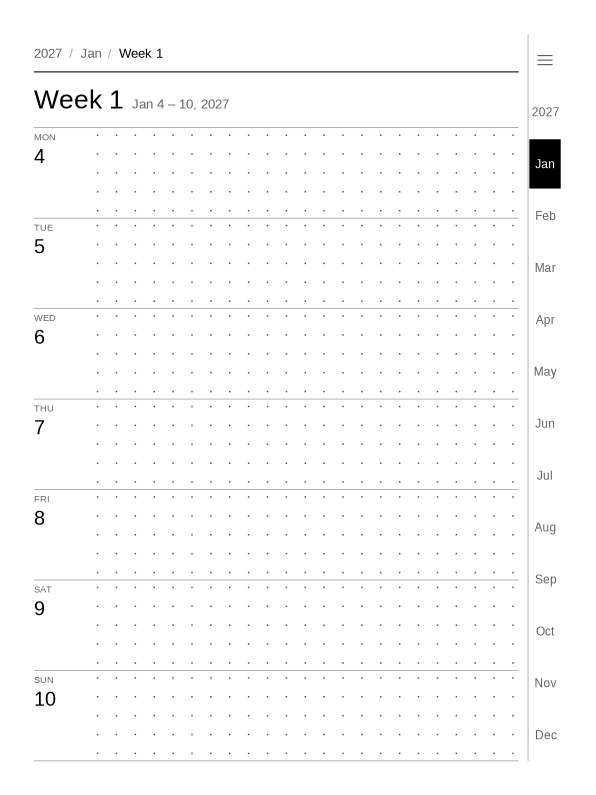 reMarkable 21404 × 1872 px
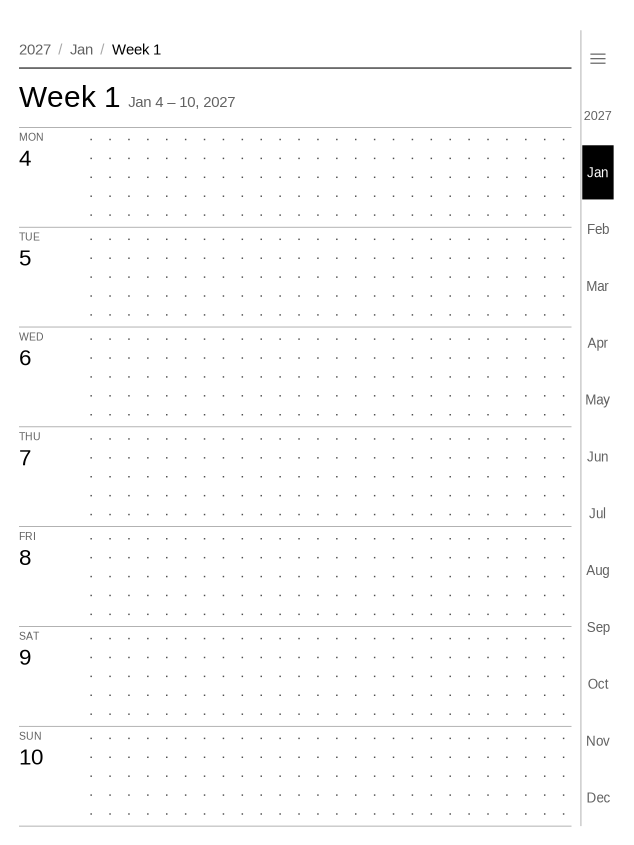 Kindle Scribe Colorsoft1980 × 2640 px
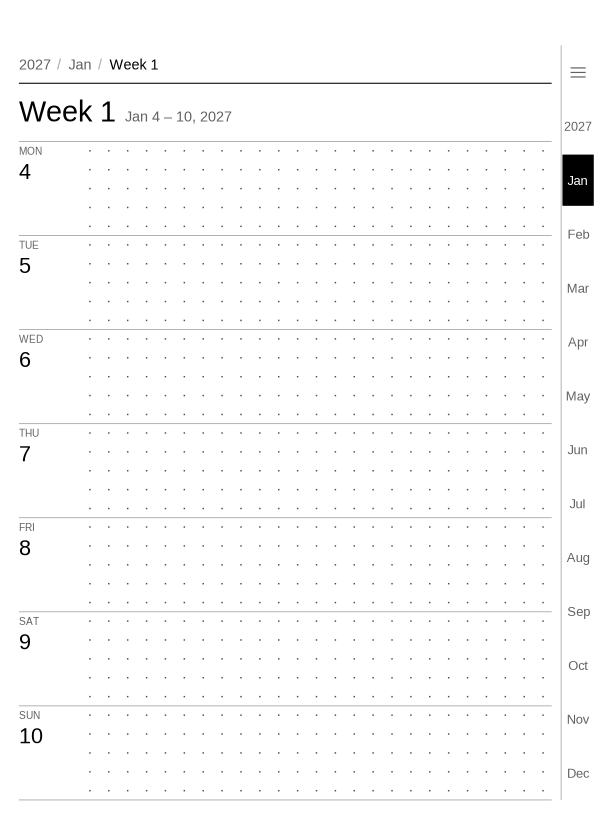 Supernote Manta1920 × 2560 px
Create it for your tablet
Each link opens the creator with this layout and your tablet already picked.
- reMarkable 2
- reMarkable Paper Pro
- reMarkable Paper Pro Move
- reMarkable Paper Pure
- Kindle Scribe
- Kindle Scribe 11" (2025)
- Kindle Scribe Colorsoft
- Supernote Manta
- Supernote Nomad
- BOOX Note Air5 C
- BOOX Go 10.3
- BOOX Note Max
- BOOX Note Air4 C
- BOOX Go 7 and Go Color 7
- Kobo Elipsa 2E
- Kobo Libra Colour
- Kobo Sage
- Viwoods AiPaper
- Viwoods AiPaper Mini
- iFLYTEK AINOTE Air 2
Questions about this layout
Is the Rows week page linked to the rest of the planner?
Yes. Each day on the page opens that day's page. The year and month at the top of the page link back to them, the arrows beside them open the previous and next week, and the month tabs down the side open any month.
Can I try this layout free?
Yes. Pick your tablet above and download the first month free, with no account. The sample has the year, the month, its weeks in the Rows layout and its days, with every link working, so you can check it on your tablet first.
Can I change the layout after buying?
Yes. For 12 months after you buy, you can generate the planner again with another layout, start month, country or device, at no cost.
Other weekly layouts
- Plan, 4 columns
- Plan, 3 columns
- Vertical
- Grid
- Small grid
- Cornell
- Blank
- Kanban columns
- Kanban lanes
- Checklist
- Eisenhower
- Meeting notes
- Book notes
All 14 weekly layouts · Every page in the planner
Updated .