Free to-do list template for the Kobo Libra Colour
1264 × 1680 px
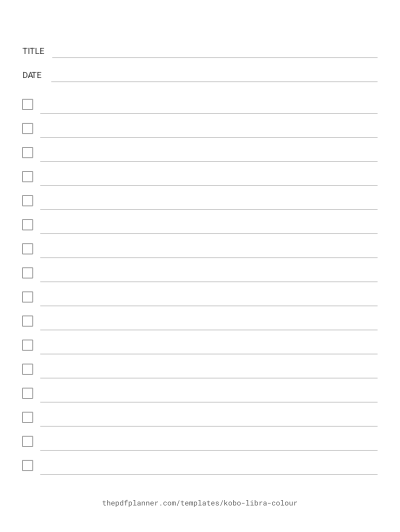
This free to-do list template for the Kobo Libra Colour is one page with 16 checkbox lines, drawn at 1264 × 1680 px for its screen, 300 ppi in black and white. It comes as a PDF you open from My Books, with no dates and no links. Also called a checklist.
Free for personal use. Not for resale or redistribution.
On this page
A Title and a Date field at the top, then a checkbox and a writing line on every row down to the bottom margin. Use it as a daily list, a packing list or a checklist you copy for each project.
| Checkbox lines | 16 |
|---|---|
| Columns | 1 |
| Line height | 6.4 mm |
| At the top | Title, Date |
| Pixels | 1264 × 1680 px, portrait |
| PPI | 300 |
| Page size | 107 × 142 mm |
| Safe margin | top 8, sides 6 mm, estimated |
| Formats |
Counts are taken from the file itself. Screen figures: ereader.kobo.com.
2027 planner for the Kobo Libra Colour
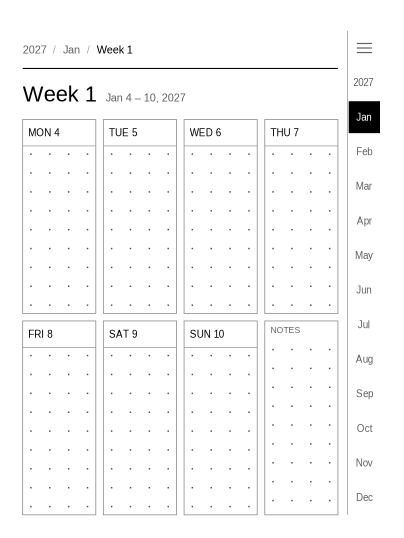
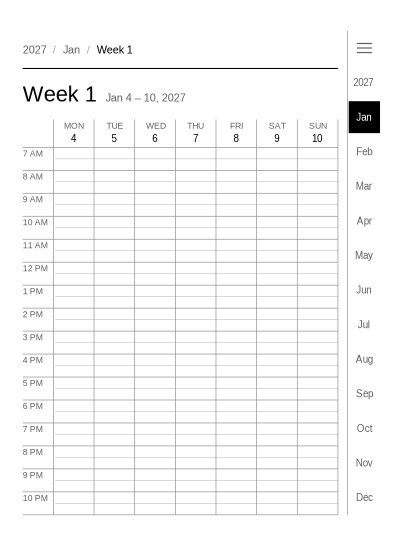
Build your own: 14 weekly layouts, your start month, your holidays.
See the 2027 planner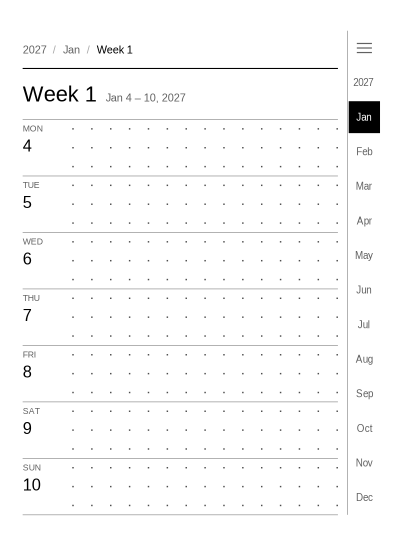 Rows
 Plan, 4 columns
 Vertical
Need more than one page? Pick “To-do lists” as a section in Linked Notebook: pages like this one in a single PDF for your Kobo Libra Colour, with a contents page and an index you tap to open each page. Up to 8 sections, no dates, $9.99 once.
Build a linked notebookHow to load it on your Kobo Libra Colour
- Copy it over USB. Connect the Kobo to your computer, tap Connect, drag the PDF onto the KOBOeReader drive, then eject it.
- Or use Dropbox. Link Dropbox at kobo.com/dropbox, put the PDF in Apps, Rakuten Kobo, then sync the Kobo.
- Or use Google Drive. Link Google Drive at kobo.com/googledrive, put the PDF in the Rakuten Kobo folder, then sync. This needs software 4.37 or later.
- Write on it. Open the planner from My Books and write anywhere on the page with the Kobo Stylus.
How to load a PDF planner on a Kobo: full guide and sources
The sources for these files are on the Kobo Libra Colour templates page.
Questions about this template
What size is the to-do list template for the Kobo Libra Colour?
1264 × 1680 px in portrait at 300 ppi, the screen's own resolution, which makes a page of 107 × 142 mm.
The page keeps 8 mm at the top and 6 mm at the sides clear for the toolbar and has 16 checkbox lines.
How many tasks fit on one page?
16 on the Kobo Libra Colour, in one column, each line with a checkbox at the left.
Can I write on these templates on my Kobo Libra Colour?
Yes. Copy the PDF onto the KOBOeReader drive over USB, or put it in the Rakuten Kobo folder of a linked Dropbox or Google Drive and sync. Open it from My Books and write anywhere on the page with the Kobo Stylus.
Kobo says strokes on a PDF without DRM are saved into the PDF. Selecting and highlighting text in a PDF is not supported, which a blank template does not need.
More Kobo Libra Colour templates
To-do list template for other tablets
- reMarkable 2
- reMarkable Paper Pro
- reMarkable Paper Pro Move
- reMarkable Paper Pure
- Kindle Scribe
- Kindle Scribe 11" (2025)
- Kindle Scribe Colorsoft
- Supernote Manta
- Supernote Nomad
- BOOX Note Air5 C
- BOOX Go 10.3
- BOOX Note Max
- BOOX Note Air4 C
- BOOX Go 7 and Go Color 7
- Kobo Elipsa 2E
- Kobo Sage
- Viwoods AiPaper
- Viwoods AiPaper Mini
- iFLYTEK AINOTE Air 2
- All tablets compared
Free for personal use. Not for resale or redistribution. Updated . The PDF Planner is independent and not affiliated with Kobo; the device name only says which screen the template fits.